Showing posts with label HD. Show all posts
Wednesday, 31 July 2013
Vikings is shaking and moving!
Season 1 has been viewed by more people in our world than when it was shown on the History Channel!
Best viewed in HD through IceFilms.
It is not suitable for family viewing with young children.
Season 2 coming soon (2014)!
Tuesday, 23 July 2013
The New Pirate Bay added
The New Pirate Bay has just been added under VIPlayist on Mash Up.
The 1080p section has 44 movies
All the latest titles
There is an excellent KidZone, 166 itmes; the metadata takes a little time to load the first time round.
This should keep the young ones entertained during the summer!
The 1080p section has 44 movies
All the latest titles
There is an excellent KidZone, 166 itmes; the metadata takes a little time to load the first time round.
This should keep the young ones entertained during the summer!
Thursday, 18 July 2013
Do you have HD stutter?
Some movie sources are streamed in the highest HD called 1080p. A source of these movies can be found lurking with HackerMils. To watch them we recommend a high performance home network.
If you want to know whether the movie is really being streamed at 1080p then select "i" (for Info) on your remote control.
You will see the 1080p displayed and also information about the audio. Typically the source audio will be AAC 2.0 (Stereo speakers) or ACC 5.1 (surround sound).
You will probably get HD stutter if the audio has been encoded as 5.1, there is nothing that can be done about this at this time. You should not get HD stutter on AAC 2.0.
If you want to know whether the movie is really being streamed at 1080p then select "i" (for Info) on your remote control.
You will see the 1080p displayed and also information about the audio. Typically the source audio will be AAC 2.0 (Stereo speakers) or ACC 5.1 (surround sound).
You will probably get HD stutter if the audio has been encoded as 5.1, there is nothing that can be done about this at this time. You should not get HD stutter on AAC 2.0.
How much bandwidth is needed for streaming video?
Yesterdays post has identified an issue regarding the amount of bandwidth OpenView needs to receive 1080p streams.
Here is a list of the Internet speeds recommended by several popular streaming services
Netflix
- 1 Mbps for viewing on a laptop computer
- 2 Mbps for SD video on a TV
- 4 Mbps for 720p HD video
- 5 Mbps for "the best video and audio experience" (according to Netflix)
Note: If a TV show or movie repeatedly needs to buffer, Hulu Plus will stop streaming the video and recommend that you downgrade the video quality.
- 1 Mbps for SD video
- 2 Mbps for 720p video
- Over 3.2 Mbps for best quality HD video and audio
Note: All Vudu movies are streamed with Dolby Digital Plus 5.1 audio.
- 1.0 - 2.3 Mbps for SD video
- 2.3 - 4.5 Mbps for 720p video
- 4.5 - 9.0 Mbps for HDX 1080p video
- Over 9 Mbps for 3D HD movies
If your connection isn't fast enough, streaming video can sometimes stall as it fills the buffer in the receiving device.
What many refer to as "Internet speed" is actually the bandwidth available to accept data from the Internet into your home. Measured in megabits per second (Mbps), it's the amount of data that can be transferred from "the cloud" to your connected devices in one second.
All of the Internet-connected computers and devices in your home network share the total bandwidth you're paying for. Some of the bandwidth might be used by others in your home who want to stream to their TV or play online games.
Normally, a huge video file with 3D and 1080p resolution and Dolby Digital Plus audio requires less than 10 Mbps. Still, if you want to stream 3D or 1080p videos, we recommend opting for an Internet speed of at least 20 Mbps. This takes into account that others might use the Internet at the same time.
At 20 Mbps or more, video streaming of most content will usually run as smoothly as live TV. Yet, several factors could still cause the video to stall and buffer. Popular streaming services could have too many people trying to access the same video at the same time. Perhaps you're streaming in the evening when demand for bandwidth is high in your neighborhood, or others in your house might also be streaming HD content.
Labels:
3D,
HD,
Recommendations
Wednesday, 17 July 2013
A great stash of HD content that is always fresh
You can follow HackerMils on Twitter @HACKERMILL; a very very busy bee. This stash is updated on a daily basis, a real hidden treasure to feast on!
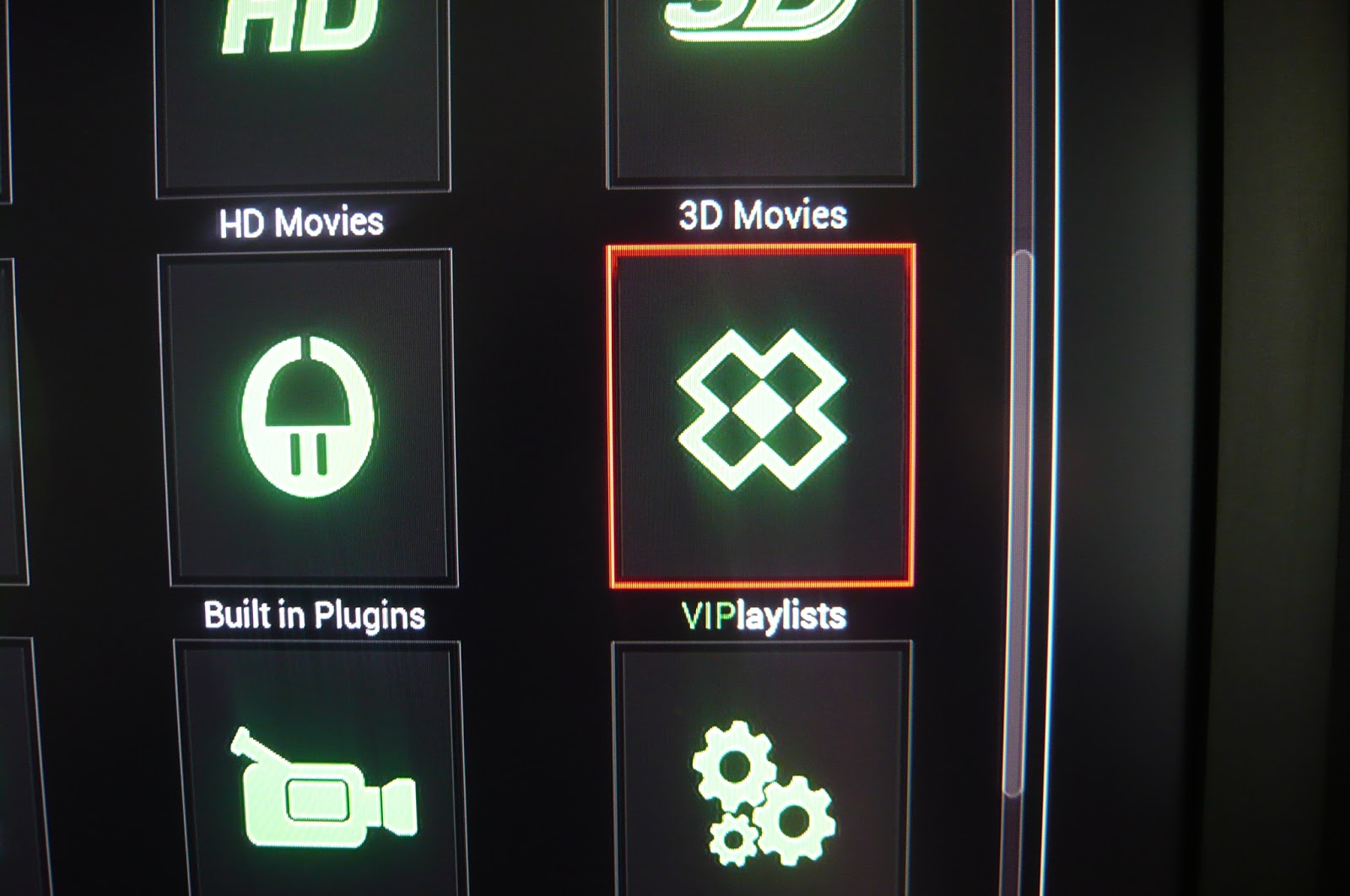
In Mash Up select VIPlaylists
Select HackerMils Stash
Select 1080p
Very nice current and hip selection
Also, you may like to look at the VIP Club. Good movies move from the VIP Club to the main movies after a week.
Sunday, 14 July 2013
New Mash Up HD Content
This is for existing users of OpenView only. All future OpenView products will have these MetaData files already installed and built.
Your Mash Up will automatically update to version 1.3.35 and once updated you will get this message when you select Mash Up.
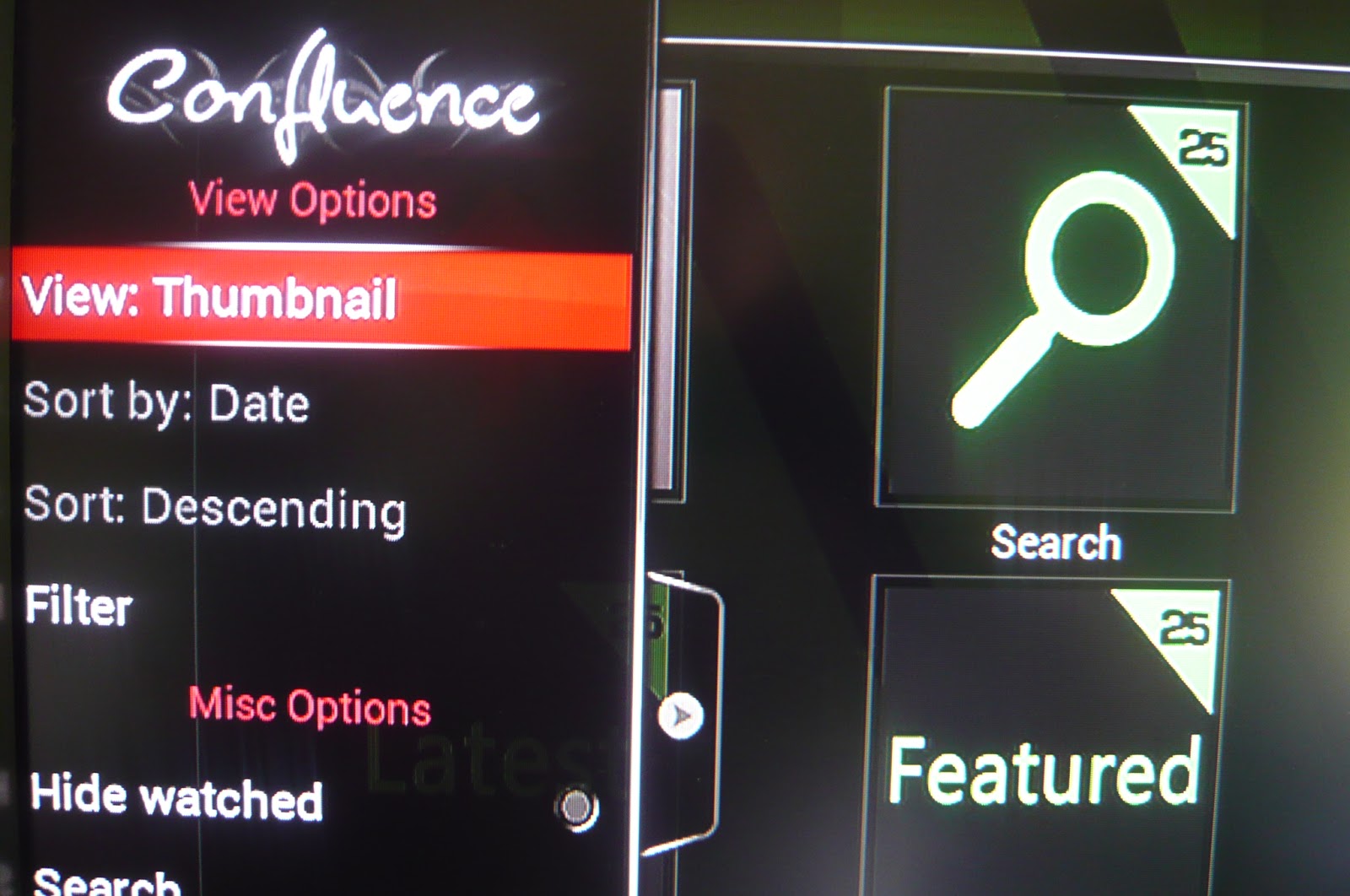
You will be provided by default with a list view
you can change this by selecting the left tab
and changing the setting to Thumbnail
then select HD icon
read the message displayed
Please note that no movies are downloaded, only the MetaData is being downloaded. The new look and feel makes things much easier.
Use the "i" on your remote controller to get movie information.
Be warned it can take a very long time to download and build the MetaData files BUT once you have done it once things will be much faster.
Your Mash Up will automatically update to version 1.3.35 and once updated you will get this message when you select Mash Up.
you can change this by selecting the left tab
and changing the setting to Thumbnail
then select HD icon
read the message displayed
Please note that no movies are downloaded, only the MetaData is being downloaded. The new look and feel makes things much easier.
Use the "i" on your remote controller to get movie information.
Be warned it can take a very long time to download and build the MetaData files BUT once you have done it once things will be much faster.
All new OpenView products will have these MetaData files already installed and built.
Friday, 28 June 2013
Watching HD Newbie
Have a look at this and see what you think.
Another good source for HD content is using Mash Up. Select Mash Up from your Home screen.
Then select the HD icon
You will see a "working" message bottom right
A menu list appears. In this example just select NewVideoLinks
A new movie list is loaded; make sure you visit daily to see new listings!
Today the list looked like this; we wanted to watch "Dead Man Down", BlueRay flavour
After selection you get a "working" at bottom right
A menu shows the servers to select. We selected MovReel.
Then OpenView sorted out the techy stuff :)
then "working" bottom right
OpenView was now tuned in correctly, just like a radio tunes in correctly once you have done what is needed!
Another good source for HD content is using Mash Up. Select Mash Up from your Home screen.
Then select the HD icon
You will see a "working" message bottom right
A menu list appears. In this example just select NewVideoLinks
A new movie list is loaded; make sure you visit daily to see new listings!
Today the list looked like this; we wanted to watch "Dead Man Down", BlueRay flavour
After selection you get a "working" at bottom right
A menu shows the servers to select. We selected MovReel.
Then OpenView sorted out the techy stuff :)
then "working" bottom right
OpenView was now tuned in correctly, just like a radio tunes in correctly once you have done what is needed!
Subscribe to:
Posts (Atom)